Event setup
Event setup holds everything the public event page shows, in one card per topic.
Setup cards
| Card | What it holds |
|---|---|
| Basic information | Cover image, title, short summary, full description, category, event type and technical topics. |
| Date & location | Start and end, time zone, format, venue and the online event link. The link is shared with registered attendees only. |
| Organized by | Organizer name, public contact email, website, IEEE region and partner organizations. |
| Team | Who can manage the event. |
| Audience & topics | Target audience, experience level and tags. Used by the events page filters. |
| Registration | Dates, capacity, waitlist and approval mode. |
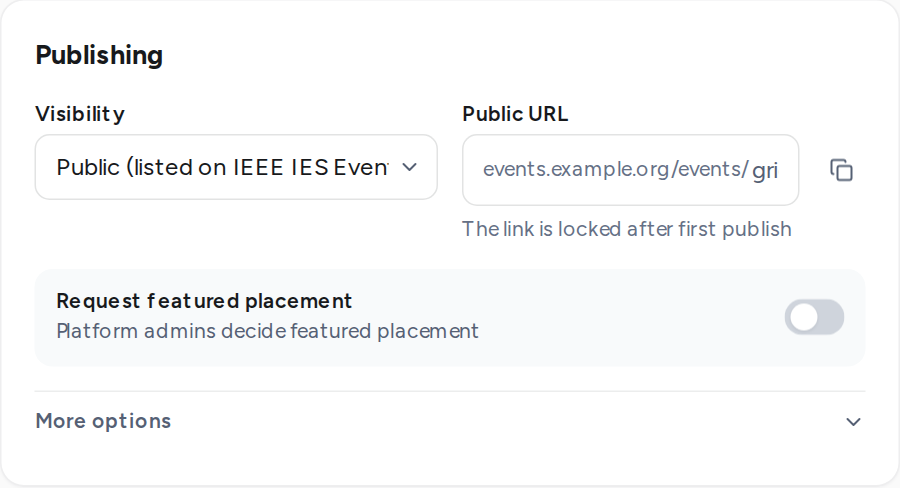
| Publishing | Visibility, public URL, featured placement and search engine visibility. |
The checklist
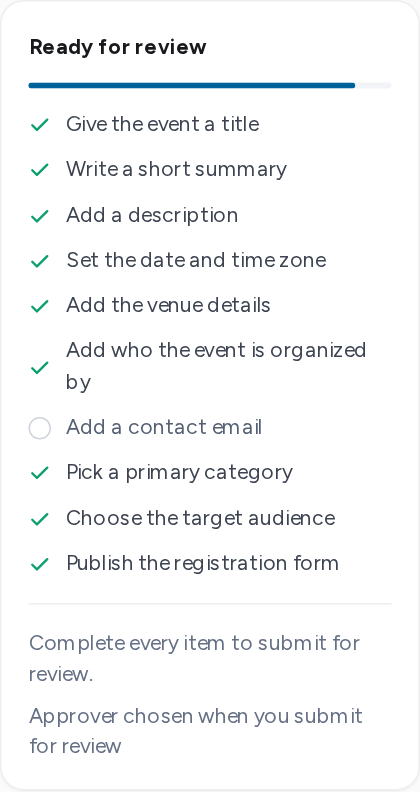
The checklist beside the cards lists what an event needs before it can be submitted or published. Each item is ticked as you fill it in.
- A title, a short summary and a description.
- Dates and a time zone.
- A venue, city and country for in-person events, an online link for online events, both for hybrid.
- An organizer name and a contact email.
- A primary category and at least one target audience.
- A published registration form, when registration is required.
Publishing options
| Option | Effect |
|---|---|
| Visibility | Public events are listed on the events page. Unlisted events open only from their link. |
| Public URL | The address of the event page. It is fixed once the event is first published. |
| Request featured placement | Asks platform admins to feature the event on the events page. |
| Search engine visibility | Off keeps the event page out of search engines. |
On a published event, Publish changes puts edits live at once. Attendees are not emailed: use Notify attendees for that.