Manage your registrations
Every registration you hold is listed in your account, with its status and reference code.
My registrations
Open My registrations from the account menu. Each row shows the event, its date, your status and your reference code.
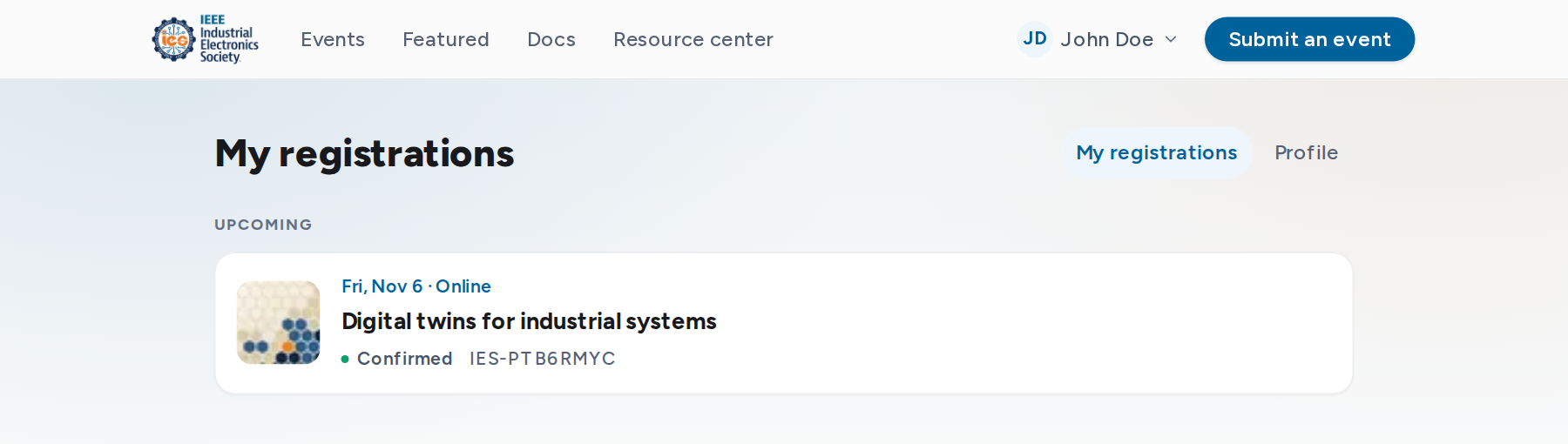
Statuses
| Status | Meaning |
|---|---|
| Confirmed | You have a place. |
| Awaiting approval | The organizer has not decided yet. |
| Waitlist | The event is full. Your position is shown. Freed places go to the waitlist in order. |
| Declined | The organizer declined the registration. The email includes their note, if any. |
| Canceled | Canceled by you, by the organizer, or because the event was canceled. |
Registration details
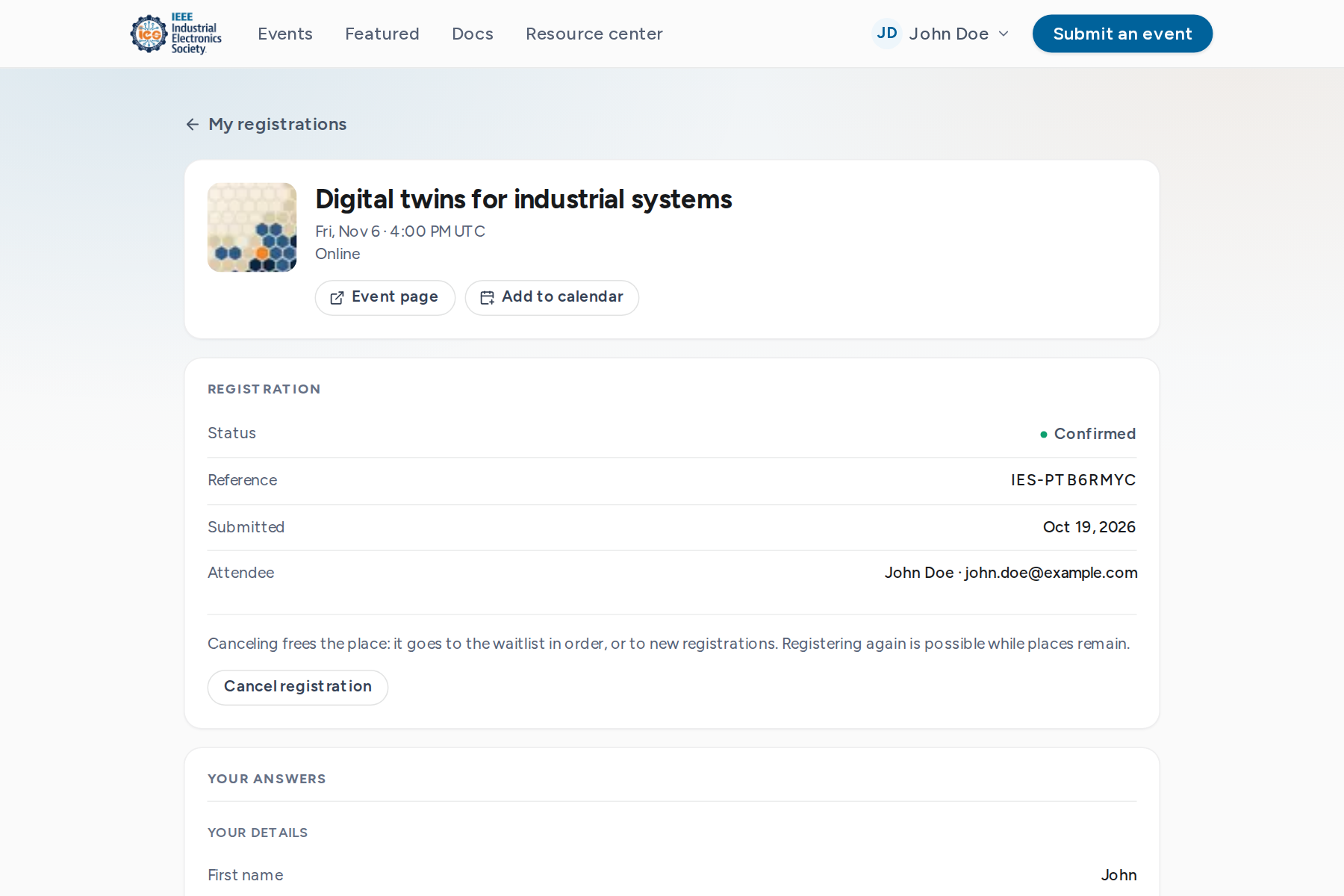
Select a registration to see your answers, the consents you gave and the reference code. While a confirmed place is ahead, Add to calendar downloads a calendar file.
Cancel a registration
- 1
Open the registration from My registrations.
- 2
Select Cancel registration and confirm.
A cancellation email follows. Your place goes to the waitlist in order (for organizer review on manual-review events), or to new registrations. Registrations can be canceled until the event ends.
Register again
After a cancellation or a decline, the event page offers registration again while the event is open. The new registration gets a new reference code. To change an answer, cancel and register again.