Manage registrations
The Registrations page lists everyone who registered and holds the decisions on each registration.
The registrations table
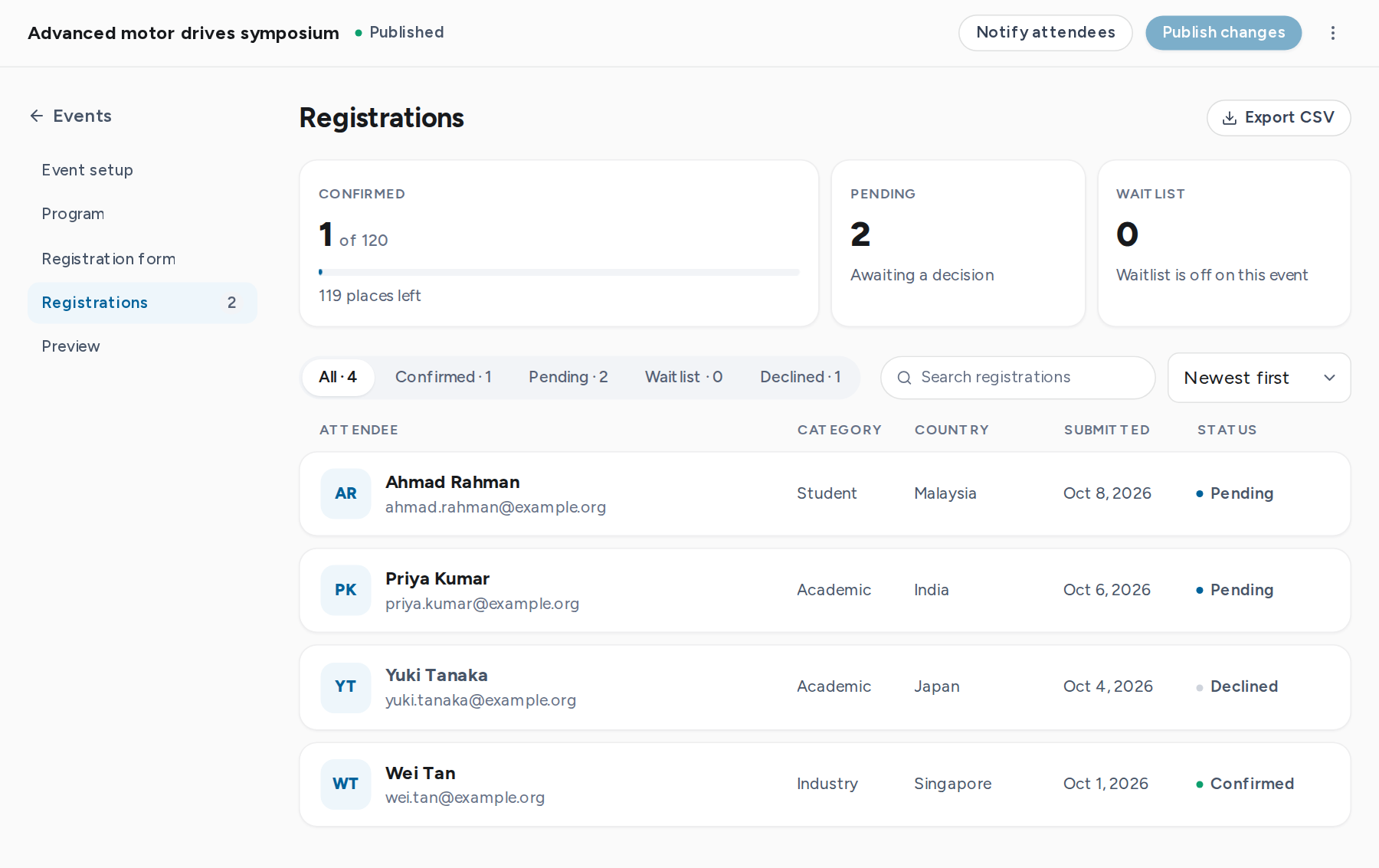
Open Registrations in the editor. The summary shows confirmed places against capacity, pending registrations and the waitlist. Below it:
- Status tabs with counts: All, Confirmed, Pending, Waitlist, Declined and Canceled.
- Search by name, email, organization, country or reference code.
- Sort by newest, oldest, name or status. 25 rows per page.
Registration details
Select a row to open the registration. The panel shows the attendee's answers, their consents, the status history, and an internal note that only organizers see. Questions set as organizer-only can be filled in here.
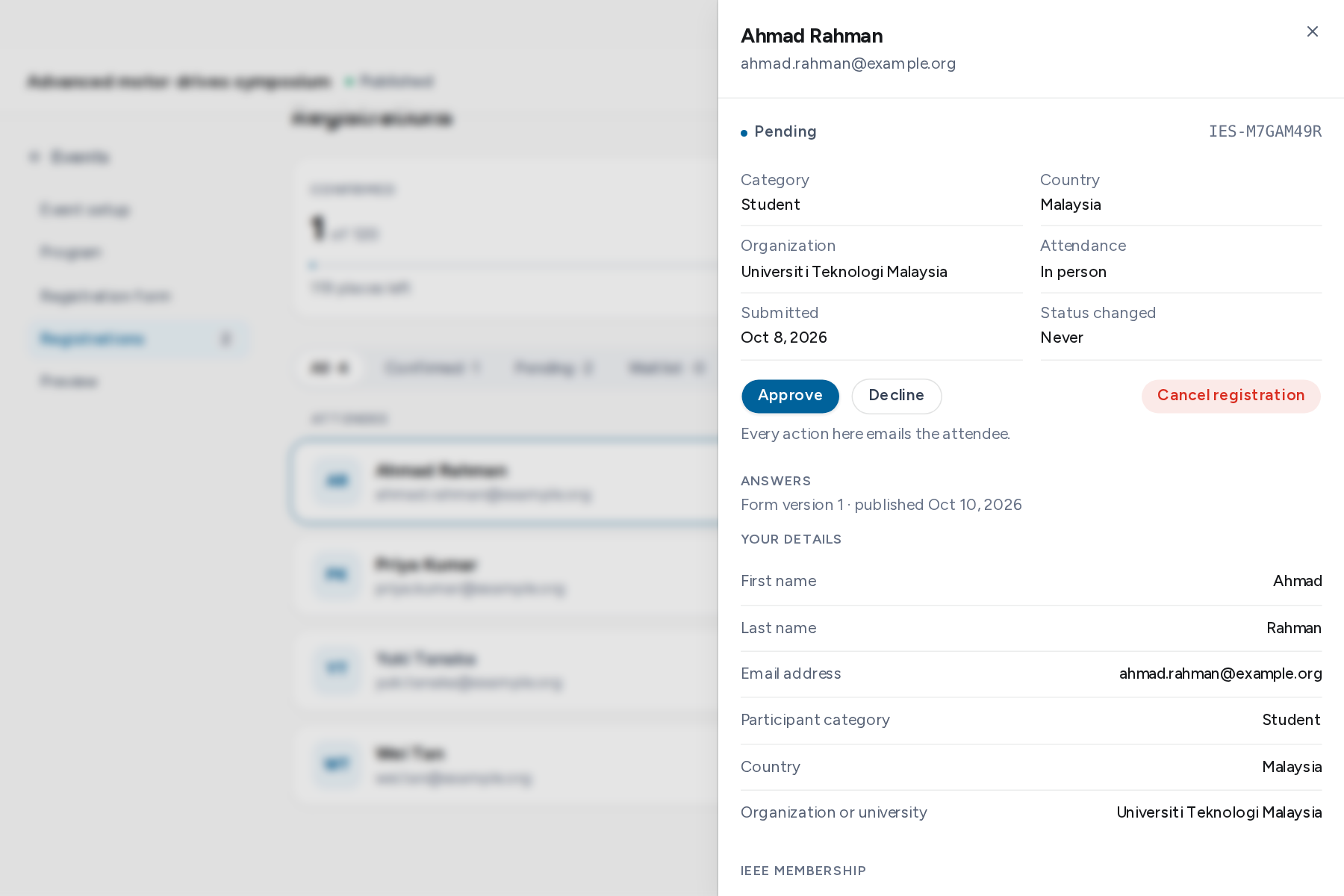
Actions
| Action | Effect |
|---|---|
| Approve | Confirms a pending registration. Refused when the event is at capacity. |
| Decline | Declines a pending or waitlisted registration. |
| Promote | Confirms a waitlisted registration. Refused when the event is at capacity. |
| Cancel registration | Cancels a registration. A confirmed place goes to the waitlist. |
Each action asks for confirmation and accepts an optional note. The note goes into the email sent to the attendee, except for Cancel registration.
Export to CSV
Export CSV downloads every registration in every status, with one column per question. Times are in the event's time zone. Questions marked as excluded from exports, or as restricted, are left out.