Update or cancel an event
Notify attendees, unpublish or cancel a published event.
Notify attendees
Saving changes to a published event does not email anyone. To announce a change:
- 1
Select Notify attendees in the editor's top bar.
- 2
Edit the subject and message. Both are prefilled from what changed since the last notice: date and time, venue, format, joining link or title.
- 3
Check the preview, then select Send.
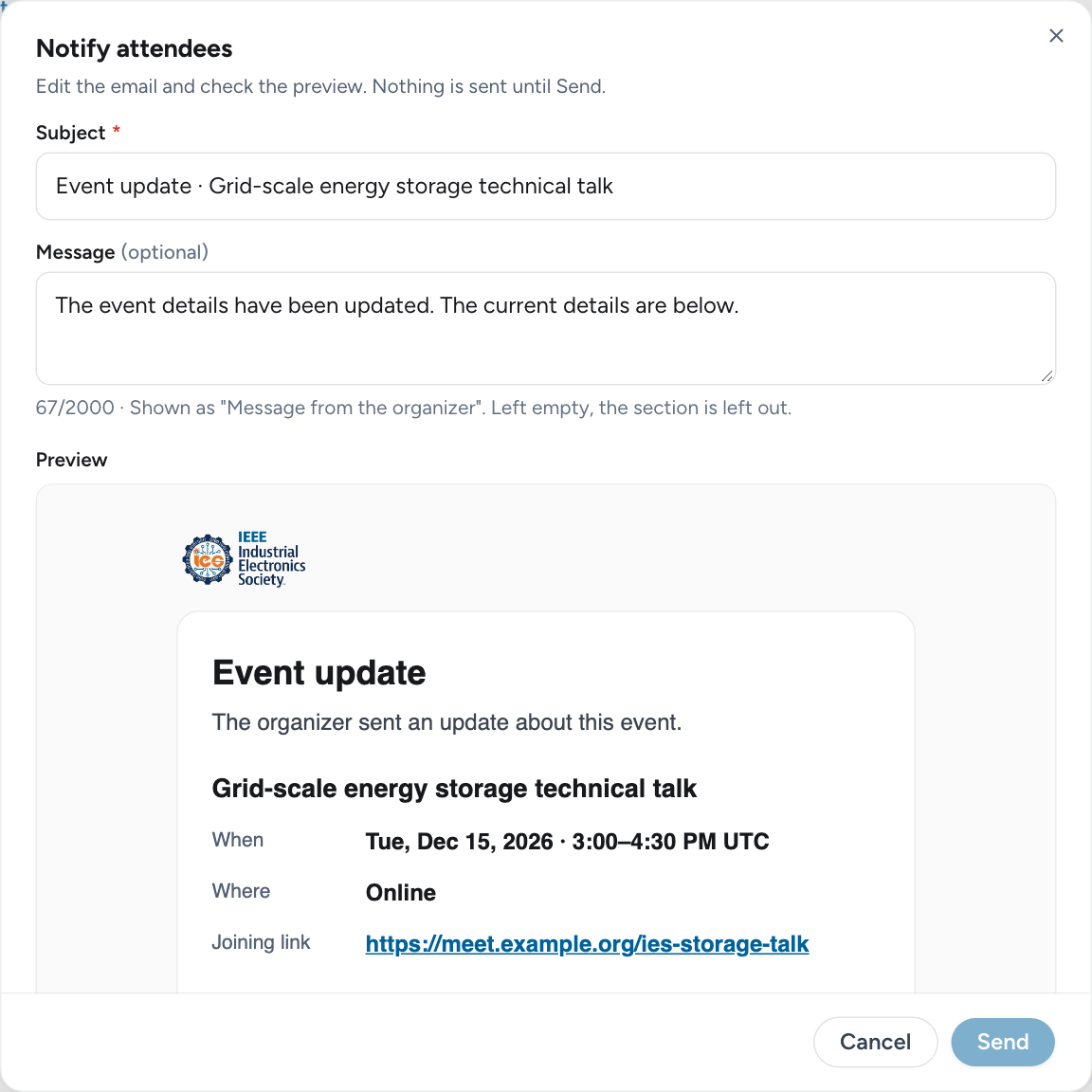
The email goes to every confirmed, pending and waitlisted registrant. Only confirmed attendees receive the joining link. The other organizers get a copy.
Unpublish
Unpublish, in the top-bar menu, takes the event off the site and returns it to draft. It is offered only while nobody has registered. Publishing again needs a new review.
Cancel the event
Cancel event, in the top-bar menu, accepts an optional reason. Every open registration is canceled, and each registrant receives an email with the reason and a calendar cancellation. The event page stays up, marked canceled.
Delete a draft
The owner can delete a draft that was never published and has no registrations. Published events are canceled, not deleted.